Roles and permissions in the Ory Console
The Ory Console uses role-based access control enforced through Ory Keto. Roles are assigned at two levels: workspace and project.
Workspace roles
A workspace has three roles: Owner, Developer, and Viewer.
Owner
The Owner role has full administrative control over the workspace.
- View and edit workspace metadata
- Upgrade the workspace plan
- View and manage billing
- View and manage members
- Create and delete workspace API keys
- Create projects and view the projects list
Developer
The Developer role provides day-to-day access without administrative capabilities.
- View workspace metadata
- Create projects and view the projects list
- View members
- View workspace API keys
Developers cannot:
- Edit workspace metadata
- Manage billing
- Manage workspace members
- Create or delete workspace API keys
Viewer
The Viewer role provides read-only access to the workspace.
- View workspace metadata
- View members
- View workspace API keys
- View the projects list
Viewers also get read-only access to the settings of every project in the workspace. See project Viewer for what that includes.
Viewers cannot:
- Create projects
- View or manage billing
- Change any workspace setting
Workspace permission matrix
| Permission | Viewer | Developer | Owner |
|---|---|---|---|
| View workspace metadata | Yes | Yes | Yes |
| Edit workspace metadata | No | No | Yes |
| Upgrade workspace plan | No | No | Yes |
| View billing | No | No | Yes |
| Manage billing | No | No | Yes |
| View members | Yes | Yes | Yes |
| Manage members | No | No | Yes |
| View workspace API keys | Yes | Yes | Yes |
| Create/delete workspace API keys | No | No | Yes |
| Create projects | No | Yes | Yes |
| View projects list | Yes | Yes | Yes |
Project roles
A project has three roles: Owner, Developer, and Viewer.
Owner
The Owner role has full control over the project, including destructive and administrative actions. Owners inherit all Developer permissions.
In addition to Developer permissions, Owners can:
- Delete the project
- Move the project between workspaces
- Upgrade the project plan
- Add and remove collaborators
- Modify project workspace settings
Developer
The Developer role provides full access to project configuration and all Ory services.
- Read and write project configuration
- View collaborators
- Manage project API keys
- Manage custom domains (CNAMEs)
- Manage event streams
- Full access to Ory Identities (read/write identities, credentials, sessions, and messages)
- Full access to Ory Permissions (read/write relationships, read permissions)
- Full access to Ory OAuth2 (read/write clients)
Developers cannot:
- Delete or move the project
- Add or remove collaborators
- Modify project workspace settings
Viewer
The Viewer role provides read-only access to project settings.
- Read project configuration
- View collaborators
- View project API keys
- View custom domains (CNAMEs)
- View event streams
Viewers have no access to data managed by Ory services. They cannot read or write identities, sessions, message delivery, OAuth2 clients, permission relationships, or issued and imported API keys.
In the Ory Console, the actions that would change a resource — such as save, create, delete, and invite — are disabled for Viewers, with a tooltip explaining the missing permission.
Project permission matrix
| Permission | Viewer | Developer | Owner |
|---|---|---|---|
| Read project configuration | Yes | Yes | Yes |
| Write project configuration | No | Yes | Yes |
| View collaborators | Yes | Yes | Yes |
| Add/remove collaborators | No | No | Yes |
| View project API keys | Yes | Yes | Yes |
| Manage project API keys | No | Yes | Yes |
| View issued and imported API keys | No | Yes | Yes |
| Manage issued and imported API keys | No | Yes | Yes |
| View custom domains (CNAMEs) | Yes | Yes | Yes |
| Manage custom domains (CNAMEs) | No | Yes | Yes |
| View event streams | Yes | Yes | Yes |
| Manage event streams | No | Yes | Yes |
| Ory Identities (full read/write) | No | Yes | Yes |
| Ory Permissions (full read/write) | No | Yes | Yes |
| Ory OAuth2 (full read/write) | No | Yes | Yes |
| Delete project | No | No | Yes |
| Move project | No | No | Yes |
| Upgrade project plan | No | No | Yes |
| Modify workspace settings | No | No | Yes |
Managing roles
To change a member's role, a workspace Owner can go to Workspace settings → Members in the Ory Console.
When inviting a member to a workspace or a collaborator to a project, you select the role as part of the invitation.
Project roles are additive to workspace roles. A member's effective role on a project is the higher of their workspace role and any role they hold directly on that project. To raise a workspace Viewer to Developer on a single project, invite that member to the project with the Developer role — the role is chosen in the invitation and can't be changed afterwards. They then have Developer access on that project while staying read-only across the rest of the workspace.
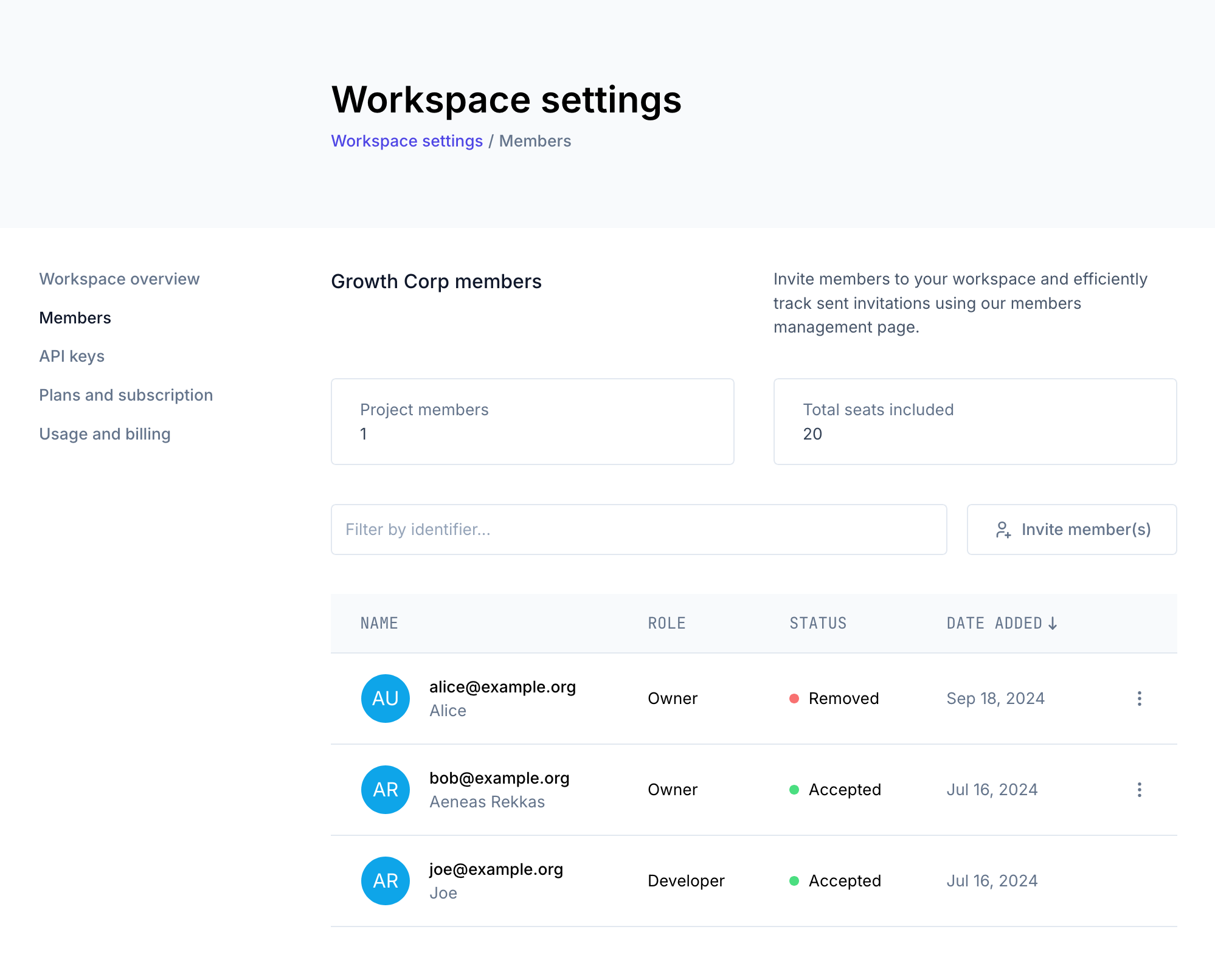
For more information on workspaces and member management, see Workspaces & Environments.